Login Page Designer
Give every company its own branded /web/login page - position, colors, background, welcome text, and a Pro mode for custom HTML/CSS.
Available on Apps StoreOverview
Position · Colors · Background · Pro Mode — a branded login page in minutes, no code required. Give every company its own branded /web/login page: position, colors, background, and welcome text from Settings, with a live preview before you save anything, plus a Pro mode for teams who want to inject their own HTML/CSS on top. Works on Odoo 18 Community and Enterprise, with or without the Website app.
Who this is for
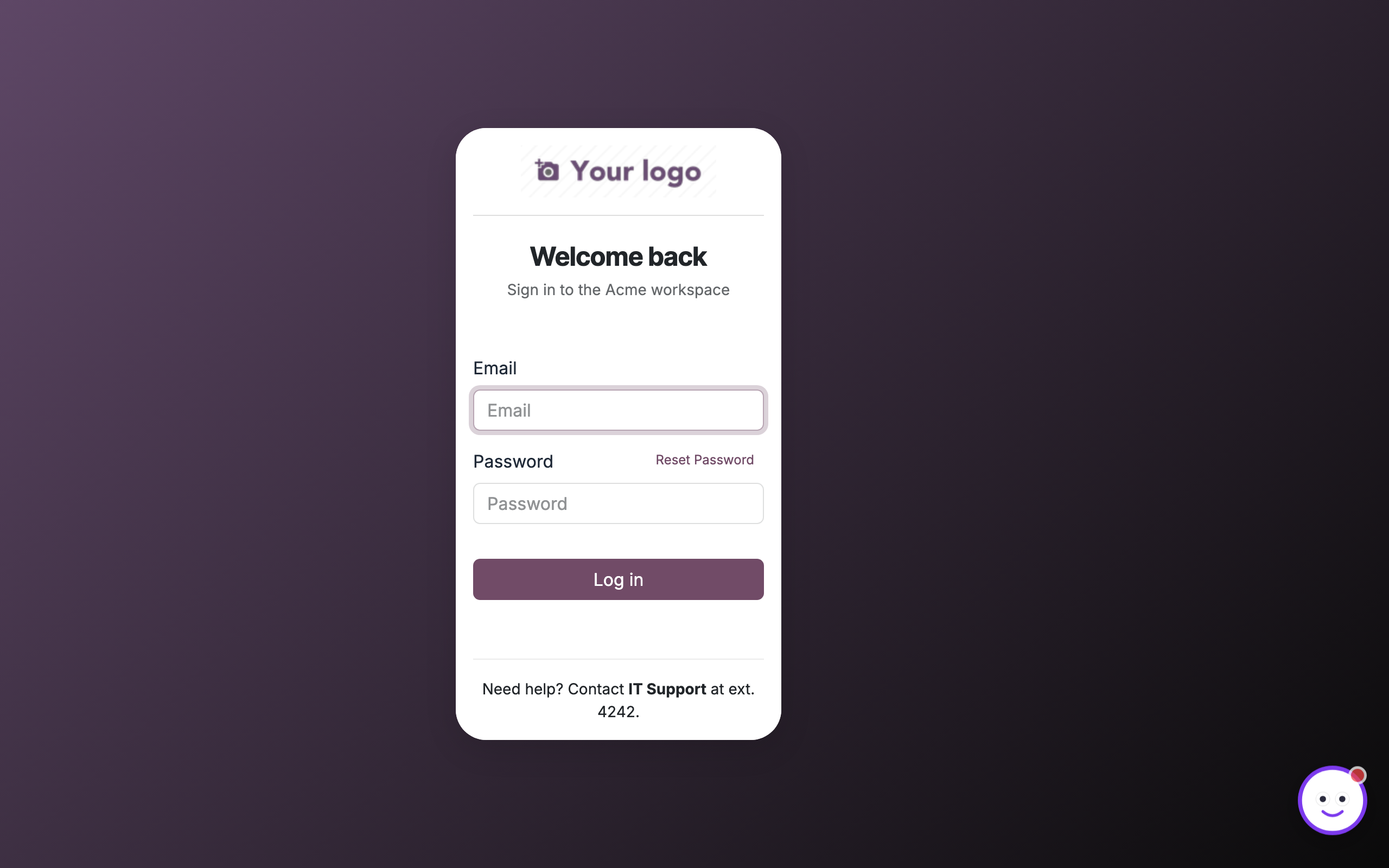
Multi-company Odoo deployments that need each company to greet users with its own colors, logo backdrop, and welcome copy instead of the stock login screen. Also a fit for implementation partners and agencies white-labeling client logins, and any organization that wants a branded first impression for employees, portal users, and admins — with optional Pro HTML/CSS for support notices or custom polish.
Key features
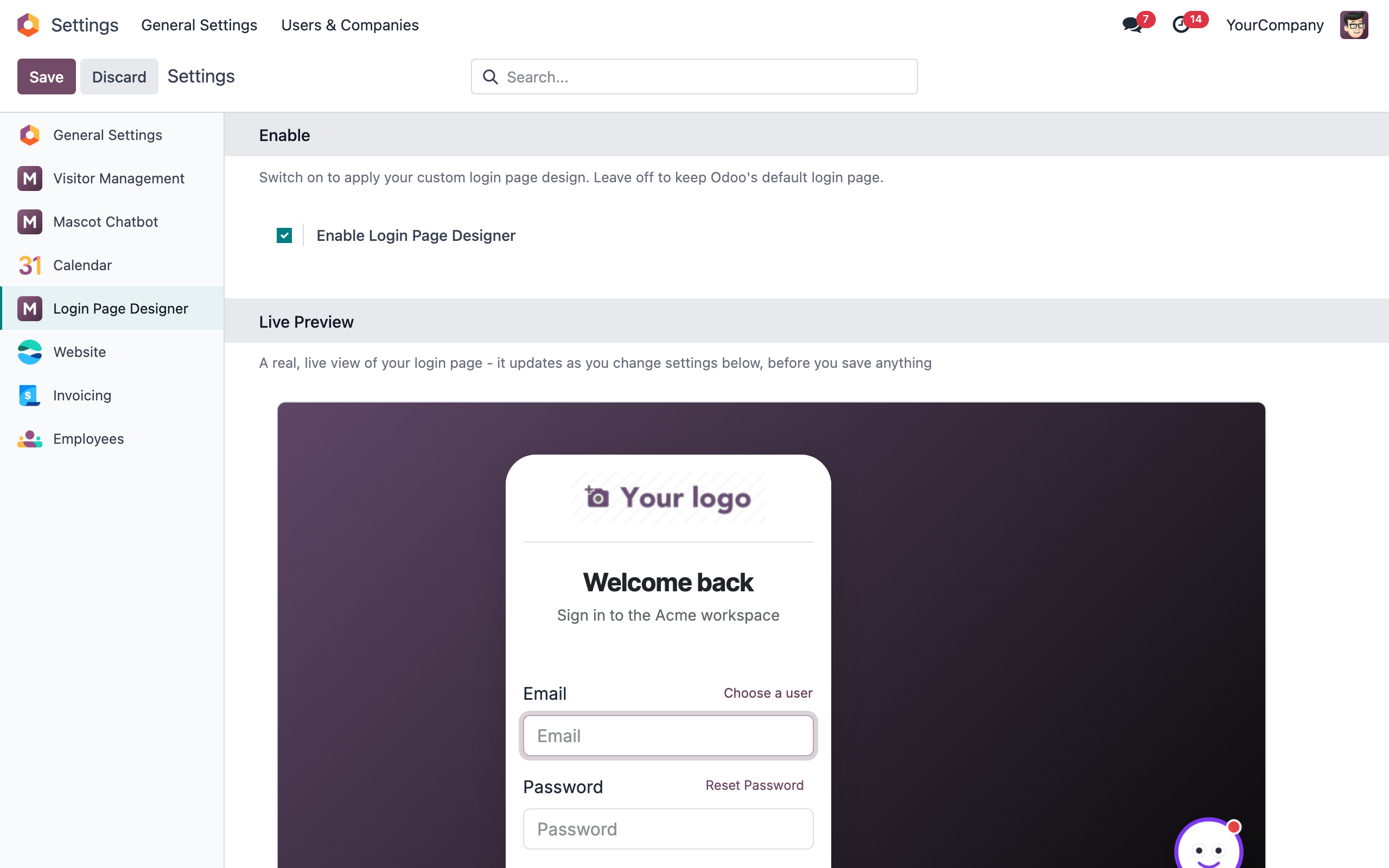
Live preview
- A real iframe of the actual login page, not a mock-up
- Updates instantly as you change any setting
- Judge the exact look before you save anything
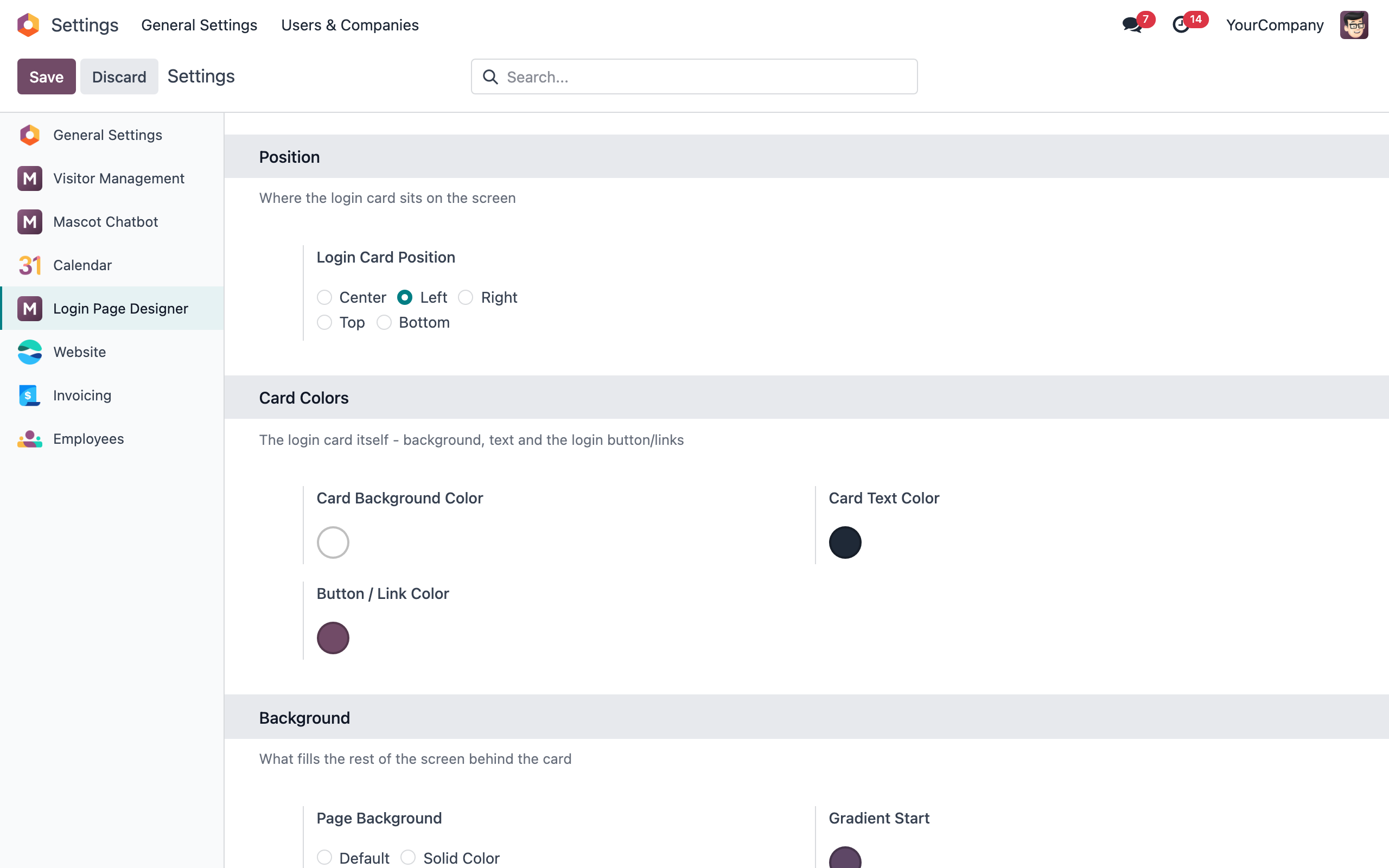
Position & colors
- Place the login card center, left, right, top or bottom
- Card background, text and button/link colors
- Optional welcome title and subtitle, translatable
Background
- Solid color, two-color gradient with angle, or an uploaded image
- Optional dark overlay for legible text over images
- Works whether or not the Website app is installed
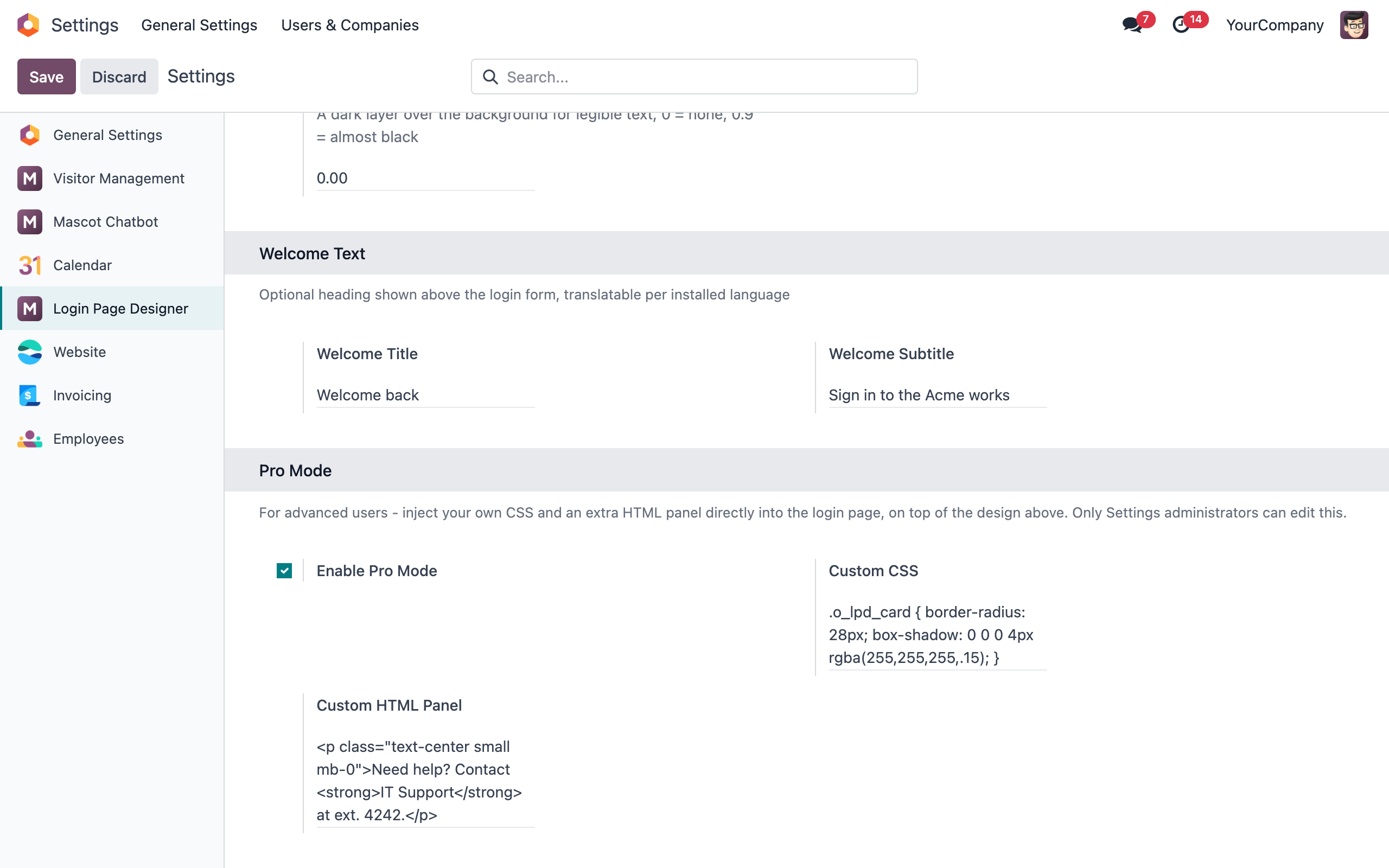
Pro mode
- Inject custom CSS on top of the design above
- Add an extra HTML panel to the login card (support info, links, notices)
- Gated to Settings administrators only
Screenshots
Get this app for your Odoo
Install from the Odoo Apps Store, or talk to us about a tailored rollout.